Skip to content

Know what to fix. For every client.

We add search volume, cost per click and live Google checks to your Search Console data, then rank what to fix first. Let Claude Code pull the fixes, or copy a prompt, and track the results under your agency's name.

Starts with one read-only Google sign-in.
See the dashboard
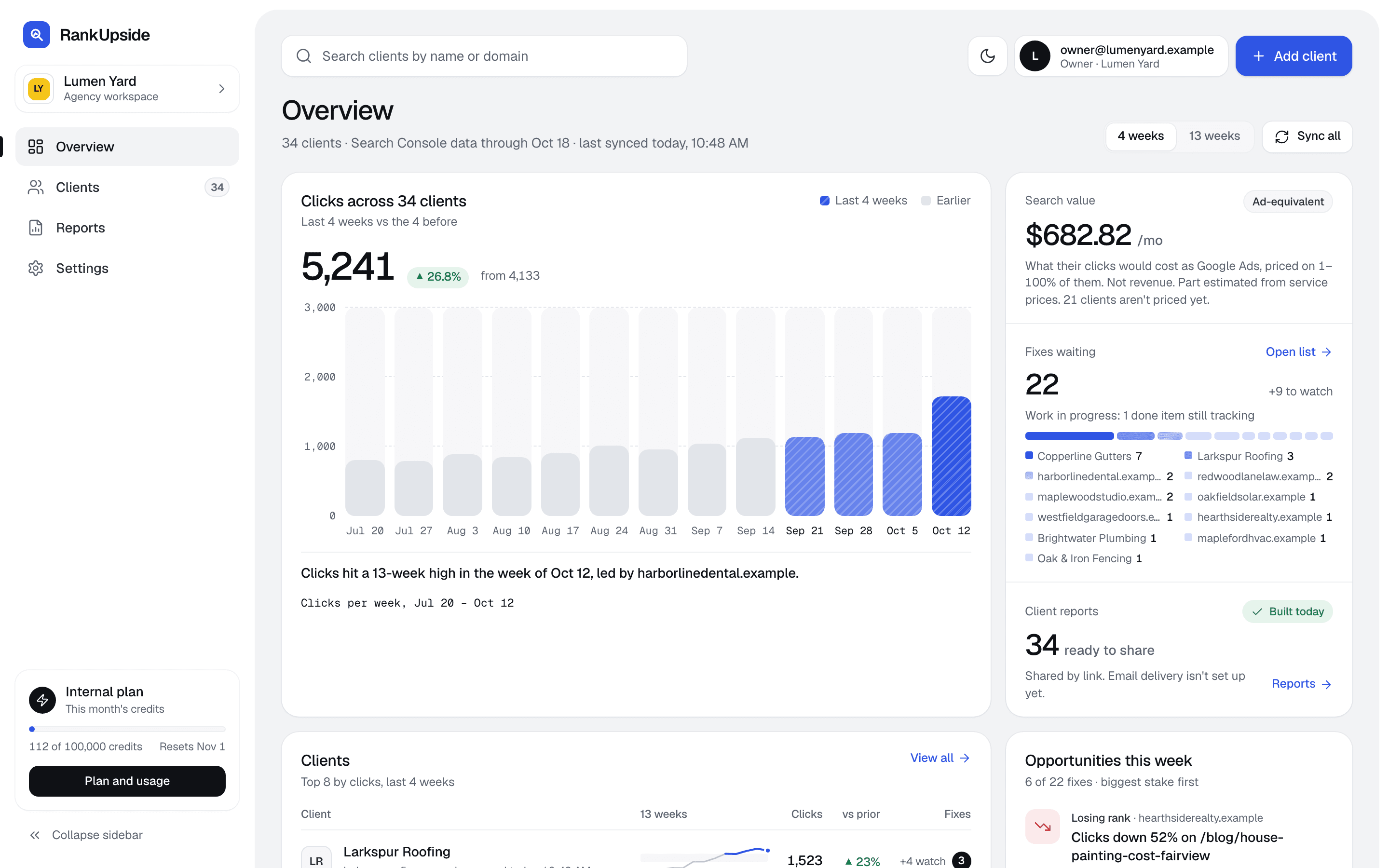
The agency overview: clicks across four clients over 13 weeks, fixes waiting by client, client reports ready to share, the client list with trends, and this week's opportunities.
The agency overview. Sample data · fictional clients.

Know why clicks moved before the client asks.

Every drop gets a plain-English cause and the fix.

Map packSample

Ranks #1–2 for “gutter guard”. The map pack takes the clicks.

Position
#1–2
Impressions, 4 weeks
1,496
Clicks
0

Fix: Work the Google Business Profile.

Don't rewrite the title. It already ranks #1–2.

A fix list ranked by what's at stake.

Every client gets one list of fixes, ordered by clicks at stake, confidence and effort.
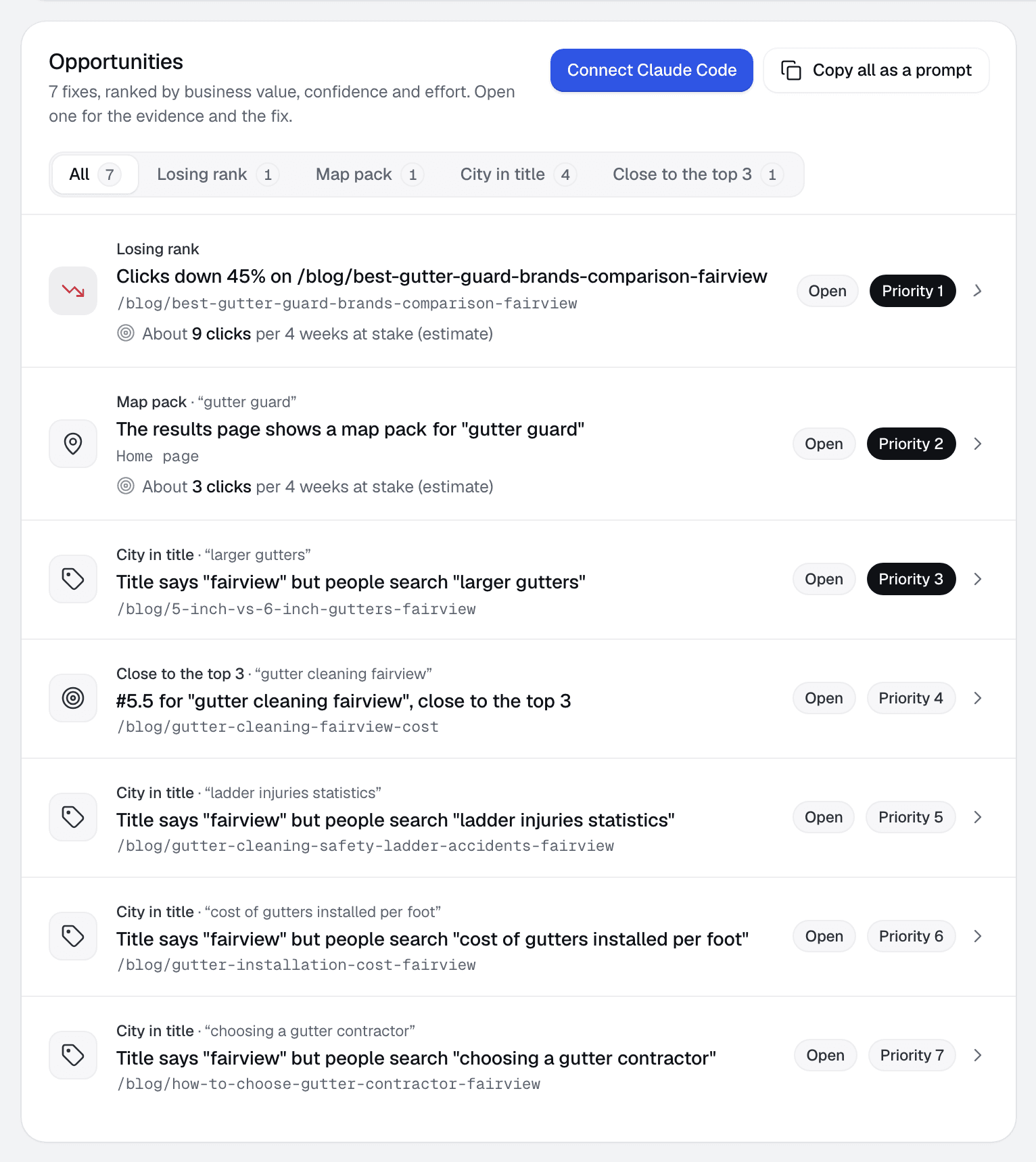
  • Each fix names the page and the searches behind it
  • Filter by cause: map pack, city in title, losing rank
  • Mark a fix done and the report tracks the result
The Opportunities list for one client: eight fixes, each with its cause, page, clicks at stake and priority.
Client page › Opportunities

Let your AI agent pull the fix list.

Connect Claude Code with a read-only key to pull the latest synced fixes and their evidence. Copy one fix or the whole list whenever you need a prompt instead.
  • A separate key for each client, with access you can revoke
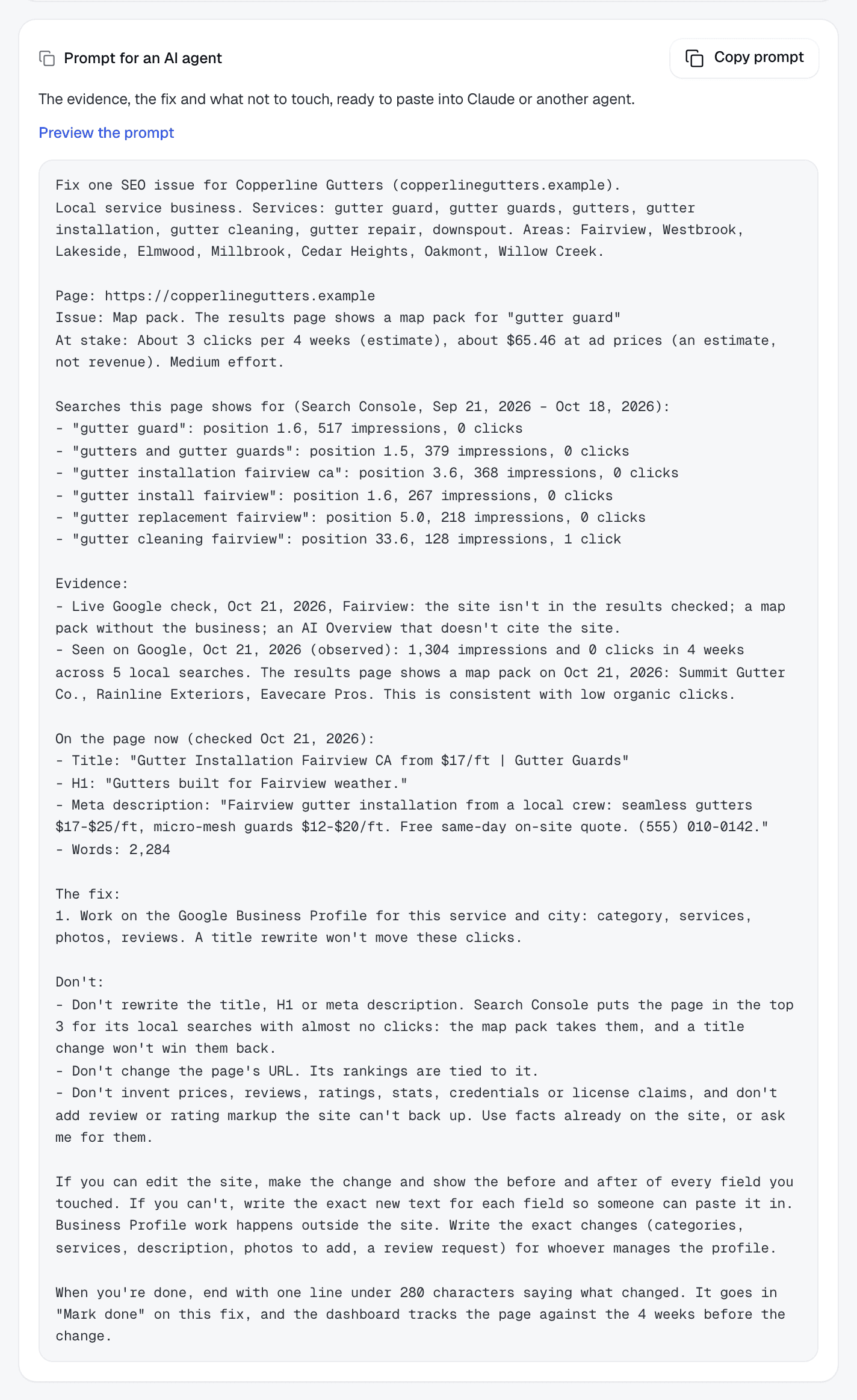
  • The searches, page checks and what not to touch come with each fix
  • Log the agent’s change note to start tracking the result
The Copy Prompt fallback includes the client, page, issue, searches, evidence, fix and what not to change.
Copy Prompt backup › Opened fix

Useful on day one, before any CRM is connected.

Every search gets its volume and cost per click, so the report can price the client's traffic at Google Ads rates.
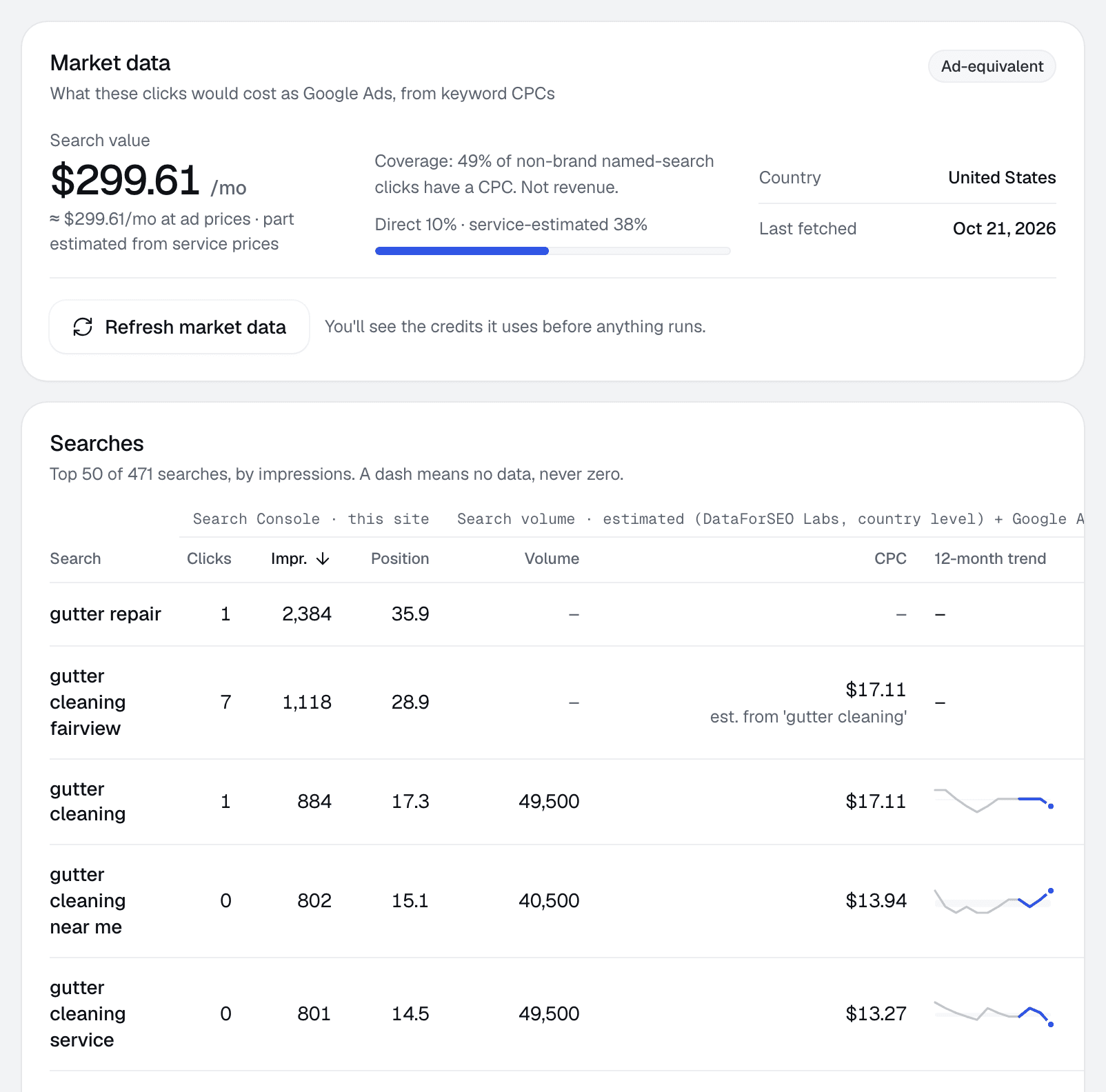
  • Search volume and cost per click per search
  • 12-month trend for each search
  • Shows what share of clicks is priced
Market data for one client: search value of $247.37 a month at ad prices, and a table of searches with clicks, impressions, position, volume, cost per click and 12-month trend.
Client page › Searches

Checked against live Google results.

Each week the top searches are checked live: the client's rank, the map pack, and whether an AI Overview cites the site.
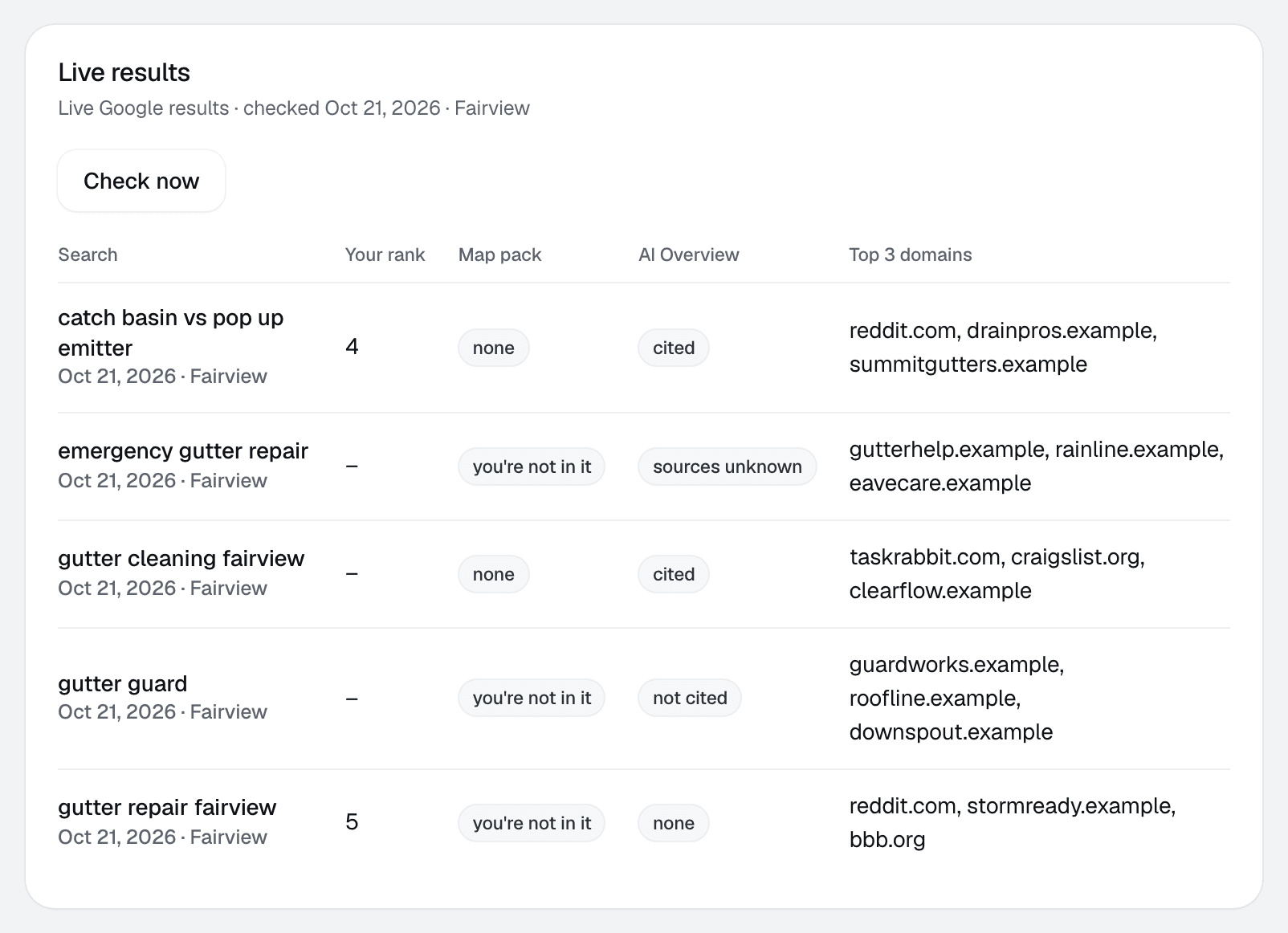
  • Who outranks the client, by domain
  • Map pack and AI Overview status per search
  • Confirms what Search Console suggests
Live results for five searches: the client's rank, whether they're in the map pack, AI Overview status and the top three domains.
Client page › Live results

Clients see your agency's brand on every report.

Add your logo and one color, and every client report carries them.
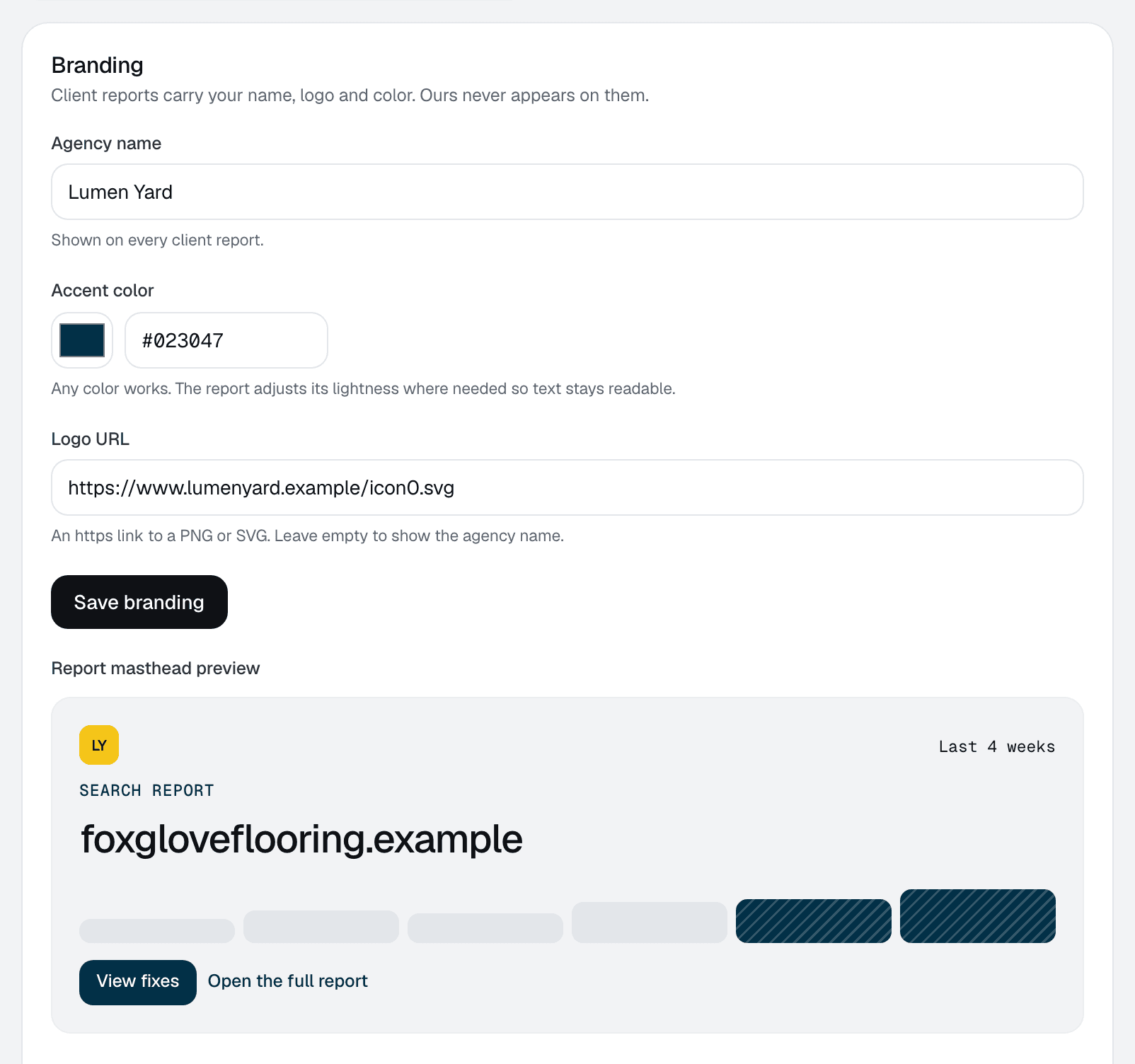
  • Color checked for contrast in light and dark
  • A plain-English summary leads each report
  • Shared with the client by private link
Branding settings: agency name, accent color and logo, with a live preview of the report masthead and contrast checks.
Settings › Branding
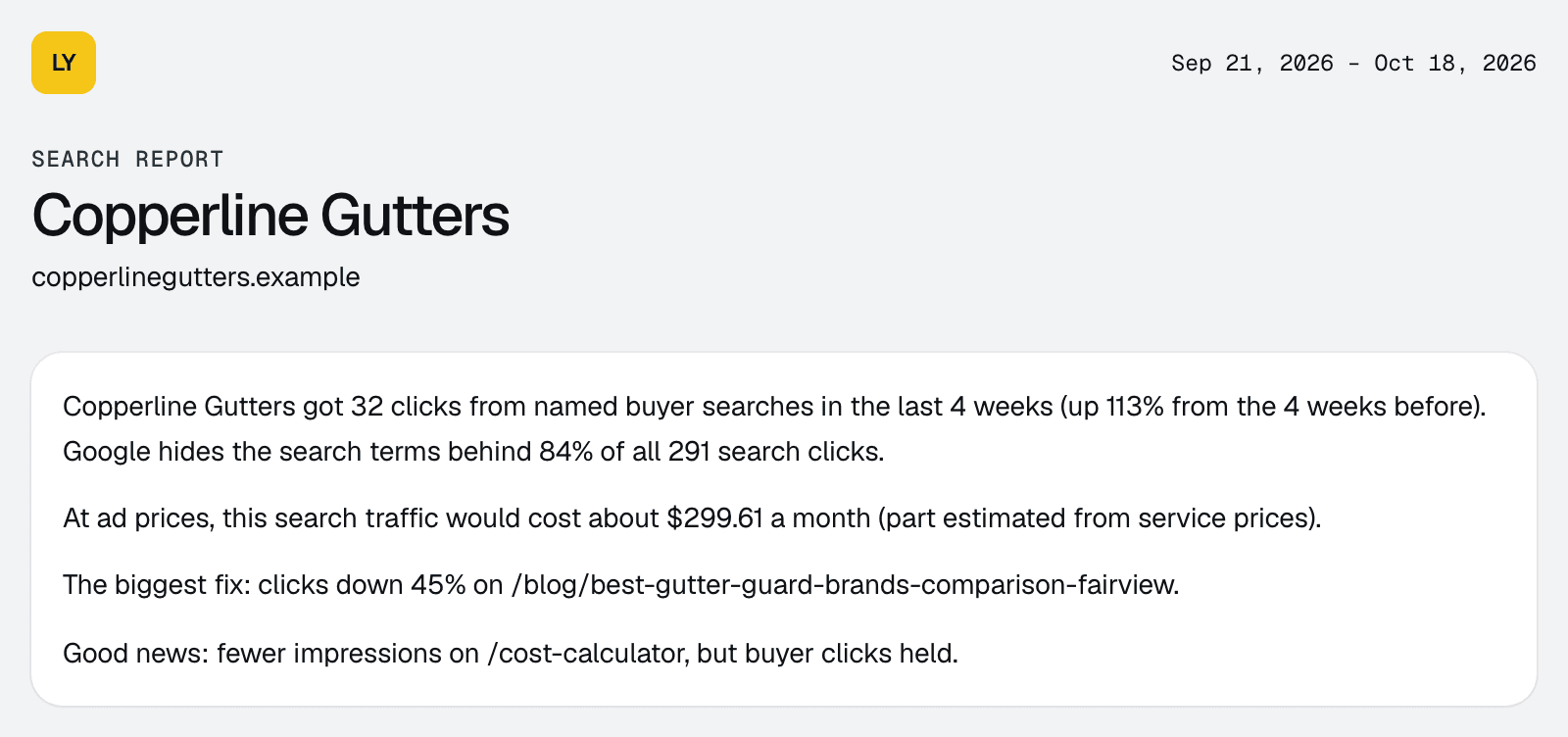
The top of a client report: the agency's logo, the client's name and a plain-English summary of the last four weeks.
What the client sees

Add won deals when a client is ready.

Paste a snippet, upload a CSV or post deals by webhook, and the report adds a revenue line.
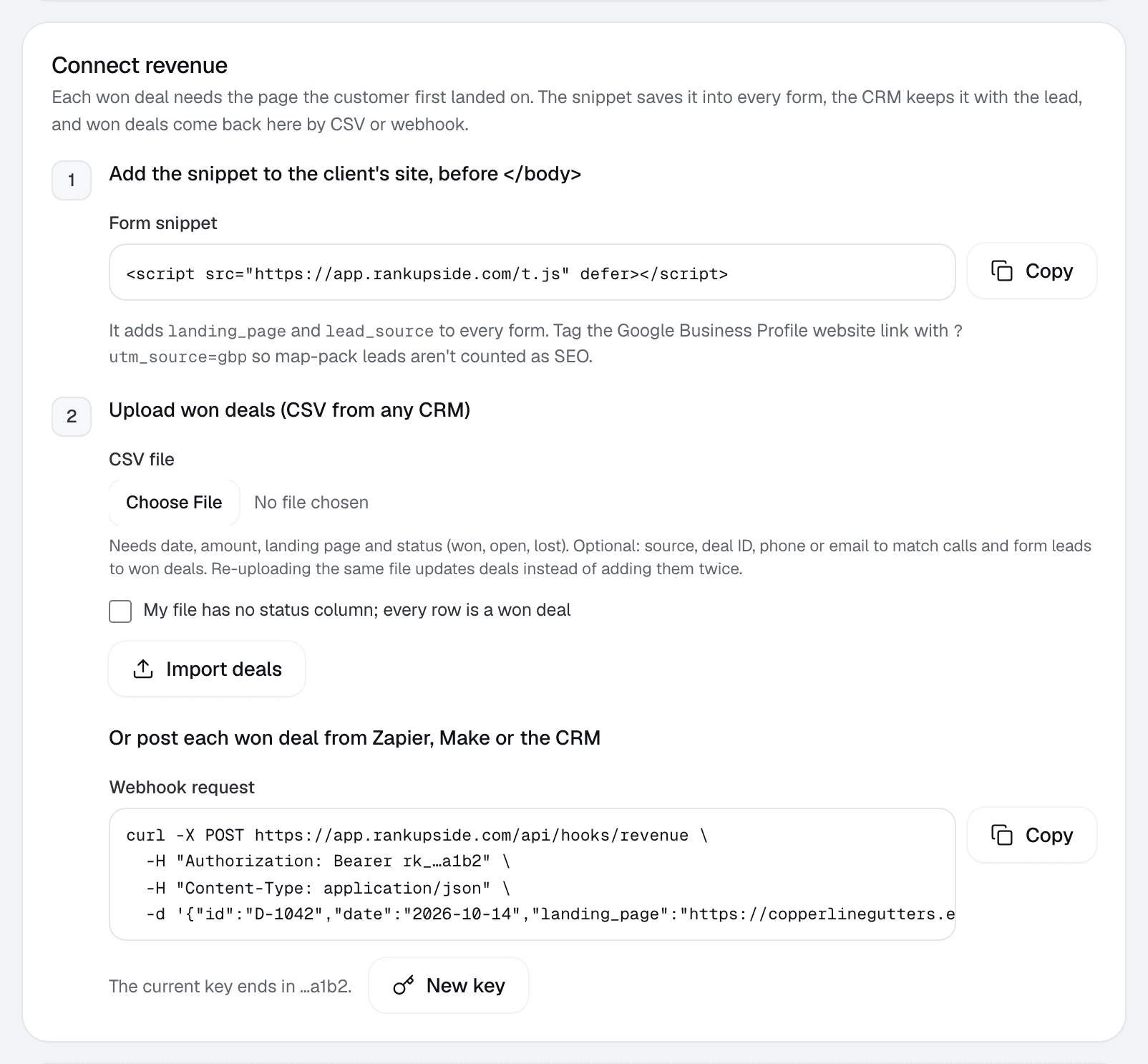
  • Works with any CRM that can export a CSV
  • Each deal is matched to the page it landed on
  • Searches Google hides keep their own line
The Connect revenue settings: a form snippet, a CSV upload for won deals and a webhook request.
Client settings › Leads & revenue

Set up a client in three steps.

The first report builds from 13 weeks of Search Console history as soon as you connect. Won deals can come later.

Add a client

Search Console properties on your Google account

  • sc-domain:copperlinegutters.example
  • sc-domain:larkspurroofing.example
  • sc-domain:brightwaterplumbing.example
  • https://oakandironfencing.example/

Google scope: view Search Console data for your verified sites. RankUpside can't change anything in Google.

Works with the CRM your clients already use.

Search Console connects directly. Won deals arrive by CSV export, webhook or a form snippet on the client's site. Any CRM that can export a file or send a webhook works.

  • Google Search ConsoleNativeRead-only. 13 weeks backfilled, synced weekly.
  • Any CRM exportCSVDate, amount and landing page columns.
  • GoHighLevelWebhookA workflow step posts each won opportunity.
  • HubSpotCSVExport won deals, or post them by webhook.
  • Zapier and MakeWebhookConnect CRMs without a webhook of their own.
  • Website formsSnippetAdds landing_page and lead_source to every form.
  • Business Profile leadsSnippetTag the profile's website link and map-pack leads stay separate.
  • Call trackingPlannedWon calls tied to the page that made them ring.

The won-deal webhook

What GoHighLevel, HubSpot or Zapier sends

POST /api/hooks/revenue
Authorization: Bearer rk_••••••••

{
  "id": "D-1042",
  "date": "2026-10-14",
  "landing_page": "https://copperlinegutters.example/",
  "amount": 4200,
  "status": "won",
  "source": "organic"
}
One key per client site. Send one deal or a list of up to 500. The deal above is a sample.

Priced by client sites. Every plan has every feature.

Pick the number of client sites you report on. Market data runs on credits that come with each plan.

Compare plans
12sites

A site is one Search Console property. Every plan includes every feature; plans differ only in sites and market-data credits.

Starter

For a small book of clients

$ –Price Set at launch
  • Up to 10 client sites
  • 2,000 market-data credits a month (provisional)
  • Every feature, white-label included

12 sites is over this plan's limit of 10.

Start free trial
Fits 12 sites

Agency

For a full client roster

$ –Price Set at launch
  • Up to 30 client sites
  • 7,000 market-data credits a month (provisional)
  • Every feature, white-label included

More than 30 sites

Volume pricing and help moving clients over

CustomPriced by site count
  • Every feature on every site
  • Credits sized to your roster
  • Help importing your clients

Questions agencies ask before connecting a client.

What does RankUpside need from Google?
Read-only access to Search Console for the sites you pick. It can't change anything in Google. You can revoke it from your Google account at any time.
Is this a rank tracker?
No. It reads Search Console, which reports average position for every search. Live map-pack and AI answer checks run weekly on market-data credits.
Does my client see your name?
No. The client report shows your agency's name and logo, in your color.
Do I need to connect a CRM?
No. Without deals the report still shows trends, traffic sources, wins and losses, the fix list and an estimated ad value of the traffic. Won deals add a revenue line when you connect them.
How is revenue tied to a search?
Search Console never says which search one visitor typed. So each won deal goes to the page the customer landed on, then gets split across that page's searches by share of clicks. Clicks from searches Google hides keep their own line.
My client's CRM isn't listed. Will it work?
Yes, if it can export a CSV or send a webhook. The CSV needs a date, an amount and a landing page column. Common column names are matched for you.

What RankUpside can see

One Google permission, read-only

Google scope

View Search Console data for your verified sites

webmasters.readonly

  • Clicks, impressions and positions by page and search, 13 weeks back
  • Page titles, fetched from the client's public site
  • No edits in Search Console or anywhere in Google
  • No access to Gmail, Drive, Analytics or Ads

Revoke access any time at myaccount.google.com/permissions. Google tokens are stored encrypted.

Connect a client and see their first report.

The first report builds from 13 weeks of Search Console history as soon as you connect. Start with three client sites.

What your client sees each weekSample data
Oxbow & Vane

Weekly search report · Copperline Gutters

Sep 14 – Oct 11, 2026 vs the 4 weeks before

Copperline Gutters got 27 clicks from named buyer searches in the last 4 weeks, up 23% from the 4 weeks before. Google hides the search terms behind 84% of all 289 search clicks. Rankings rose across the site: pages that steadily show up are up about 2.4 positions.

Buyer clicks23%
27from 22
All search clicks14%
289from 253