Skip to content
How it works

From Search Console to a client report in three steps.

RankUpside works in three steps. Sign in with Google and tick the Search Console properties you report on; access is read-only. RankUpside reads 13 weeks of history and shows each client's trends, wins, losses and fixes ranked by clicks at stake. Then you share a white-label report link that rebuilds every week.

What it doesn't do: It doesn't need edit access to Google, a script on the client's site or a CRM to start.

Updated

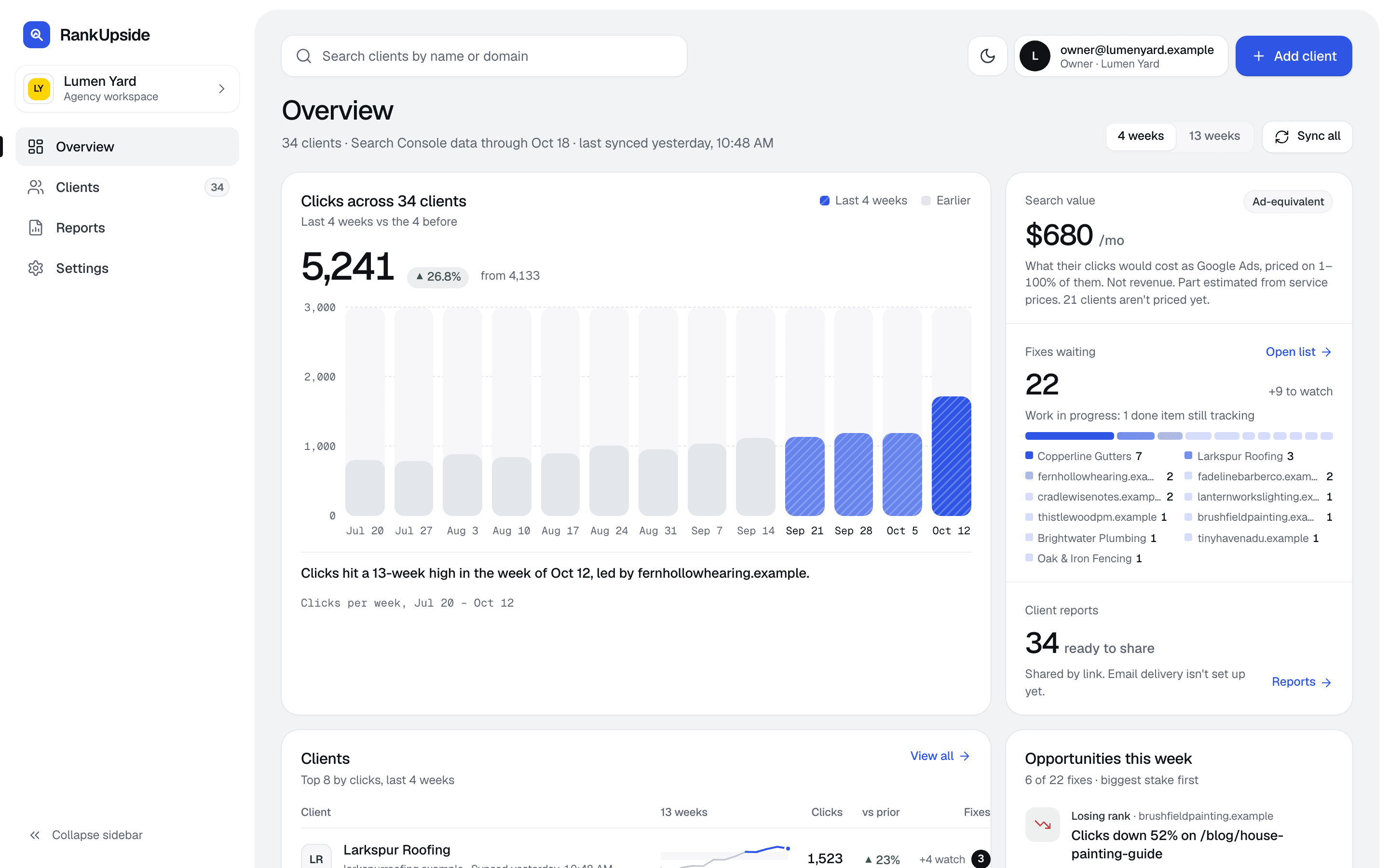
The agency overview: clicks across four clients over 13 weeks, fixes waiting by client, client reports ready to share, the client list with trends, and this week's opportunities.
The agency overview · Sample data, fictional clients

Three steps, each on its own screen.

Everything after step one runs on a weekly schedule. Won deals and call tracking are optional and can come later.

  1. Step 1: Sign in with Google and pick clients

    Sign in with the Google account that has your clients' Search Console access, then tick the properties you report on. RankUpside asks for one permission, read-only Search Console. The first sync reads 13 full weeks of history, so the first report already has a baseline.

    Add clients

    Search Console properties on your Google account

    • sc-domain:copperlinegutters.example
    • sc-domain:larkspurroofing.example
    • sc-domain:brightwaterplumbing.example
    • https://oakandironfencing.example/

    Google scope: view Search Console data for your verified sites. RankUpside can't change anything in Google.

    What RankUpside can see

    One Google permission, read-only

    Google scope

    View Search Console data for your verified sites

    webmasters.readonly

    • Clicks, impressions and positions by page and search, 13 weeks back
    • Page titles, fetched from the client's public site
    • No edits in Search Console or anywhere in Google
    • No access to Gmail, Drive, Analytics or Ads

    Revoke access any time at myaccount.google.com/permissions. Google tokens are stored encrypted.

  2. Step 2: See what moved and the ranked fixes

    Each client gets clicks, impressions and position against the 4 weeks before, the pages and searches that won and lost, and a plain-English reason for each change. Then one fix list, ranked by what's at stake, confidence and effort. Each fix names the page, the searches behind it and what not to touch.
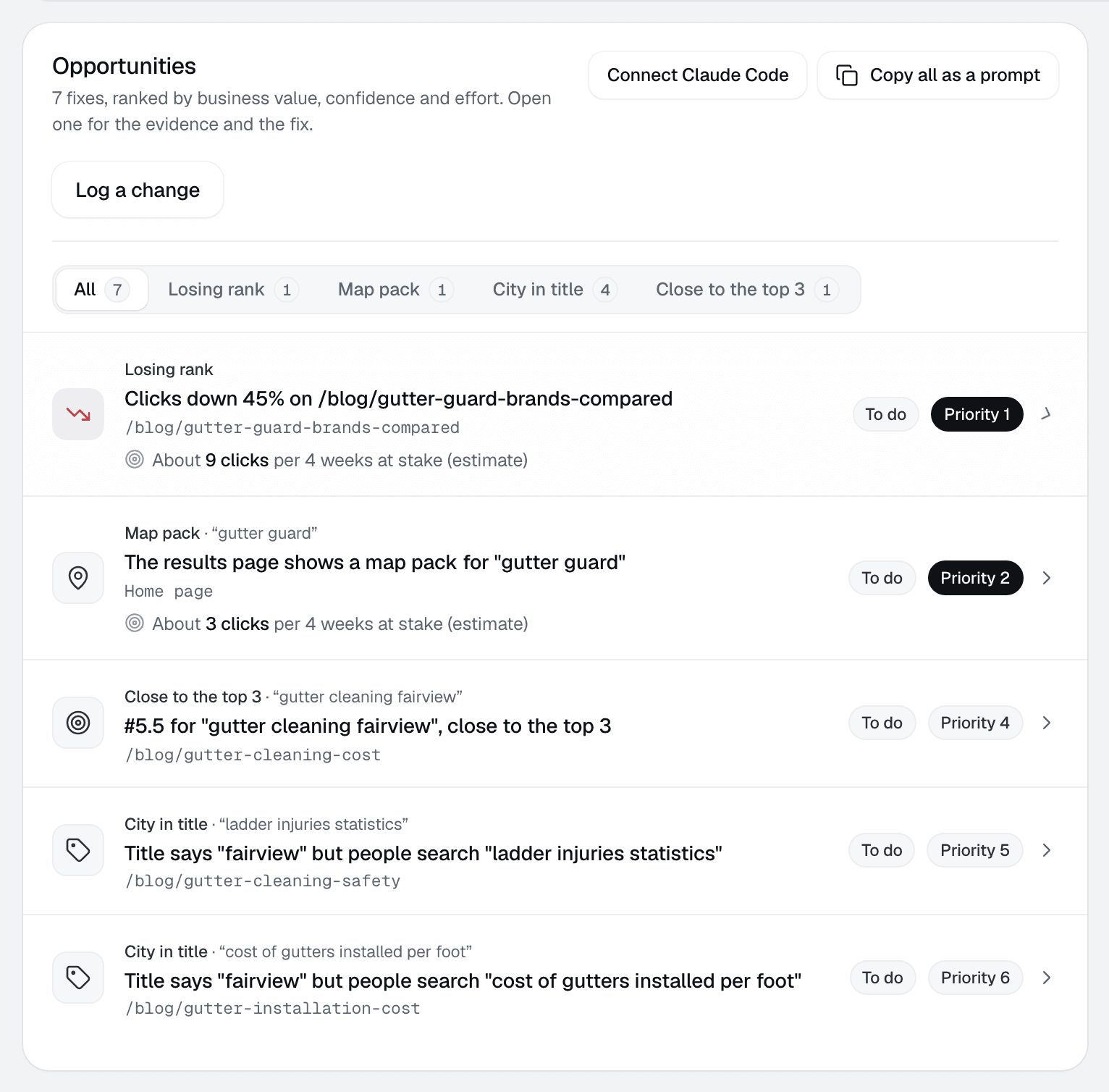
    The Opportunities list for one client: eight fixes, each with its cause, page, clicks at stake and priority.
    Client page › Opportunities · Sample data, fictional client
  3. Step 3: Share the white-label report

    Add your logo and one color once. Each client gets a private report link under your agency's name, with a plain-English summary on top. It rebuilds after every weekly sync, and replacing a link turns the old one off.
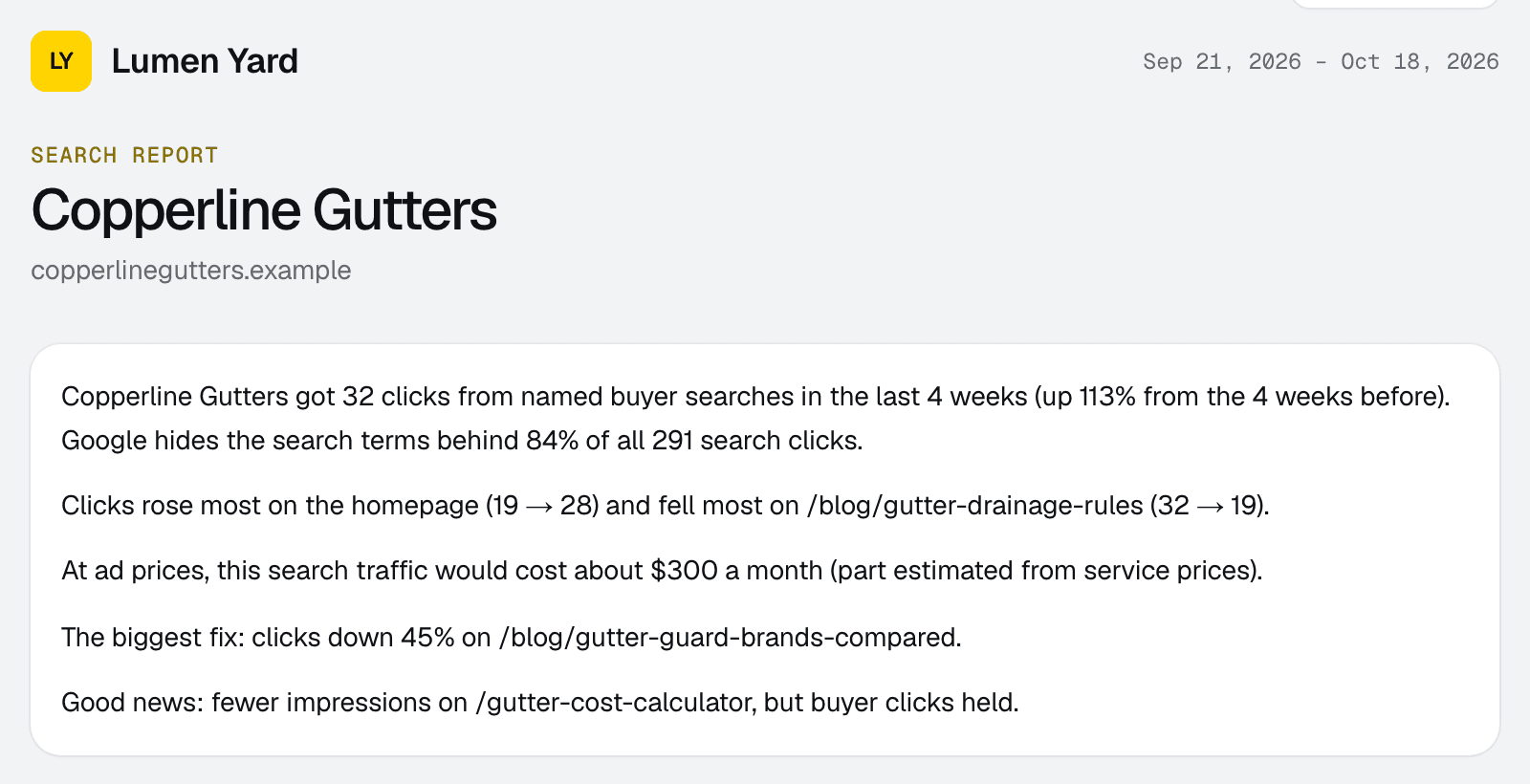
    The top of a client report: the agency's logo, the client's name and a plain-English summary of the last four weeks.
    What the client sees · Sample data
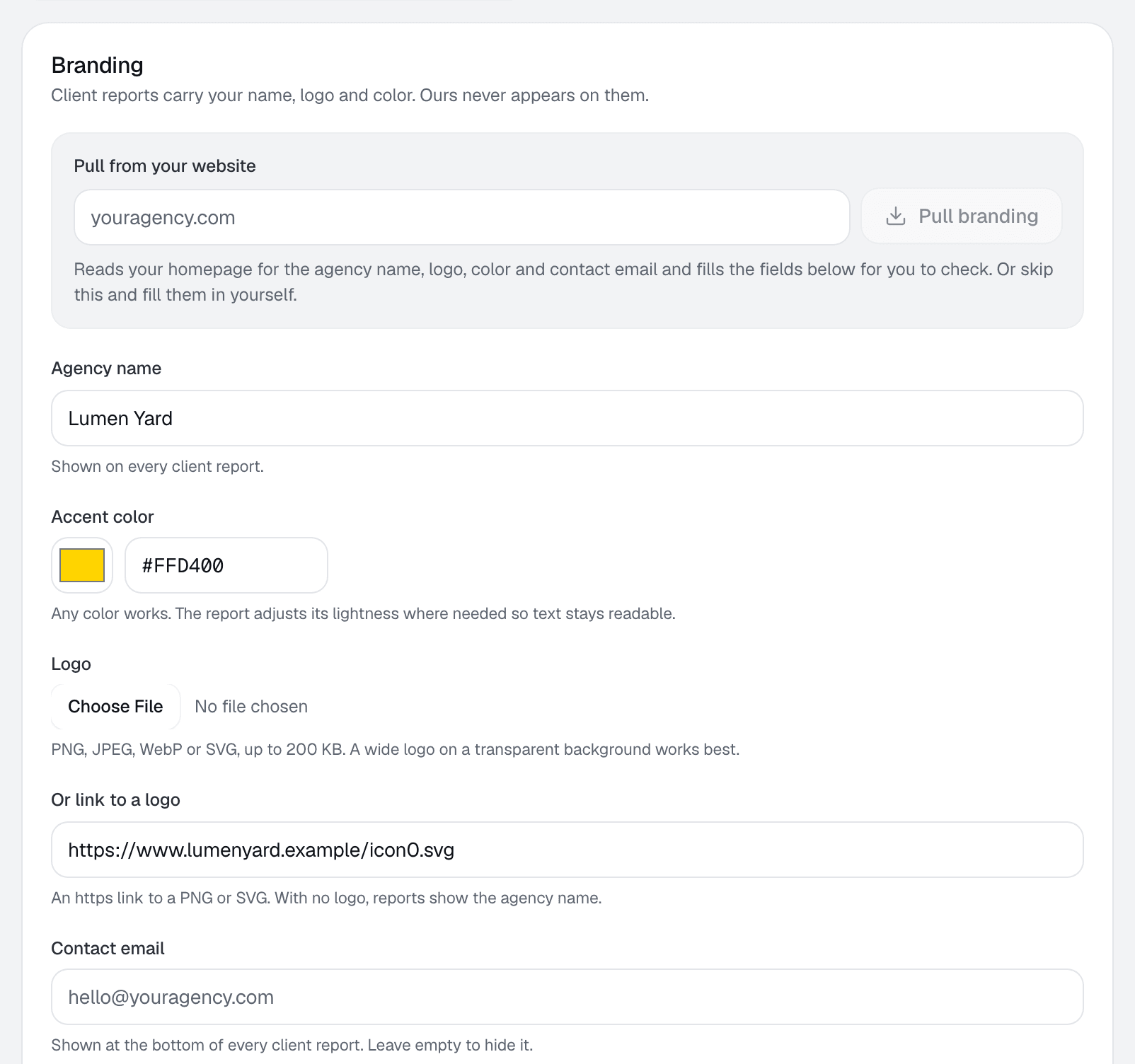
    Branding settings: agency name, accent color and logo, with a live preview of the report masthead and contrast checks.
    Settings › Branding

What runs each week without you.

Once a client is connected, the data refreshes on a fixed schedule and the report rebuilds after each Search Console sync.

  • Wednesday: Search Console sync, then the report rebuilds
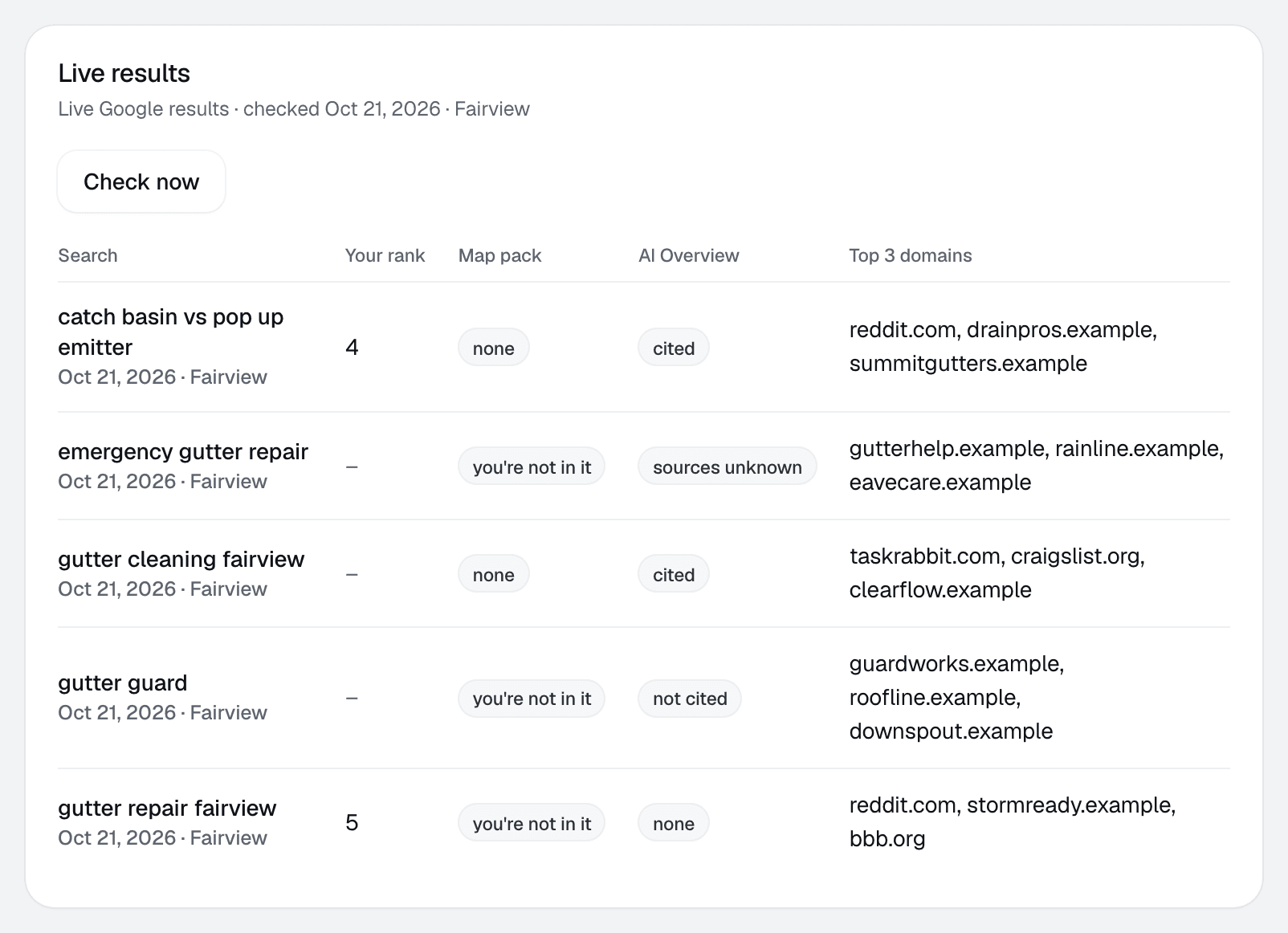
  • Thursday: live Google check of top searches (rank, map pack, AI Overview) and an index check
  • Monthly: search volume and cost per click refresh
  • Live checks and keyword data use plan credits; Search Console data never does
Live results for five searches: the client's rank, whether they're in the map pack, AI Overview status and the top three domains.
Client page › Live results · Sample data

Add won deals when a client is ready.

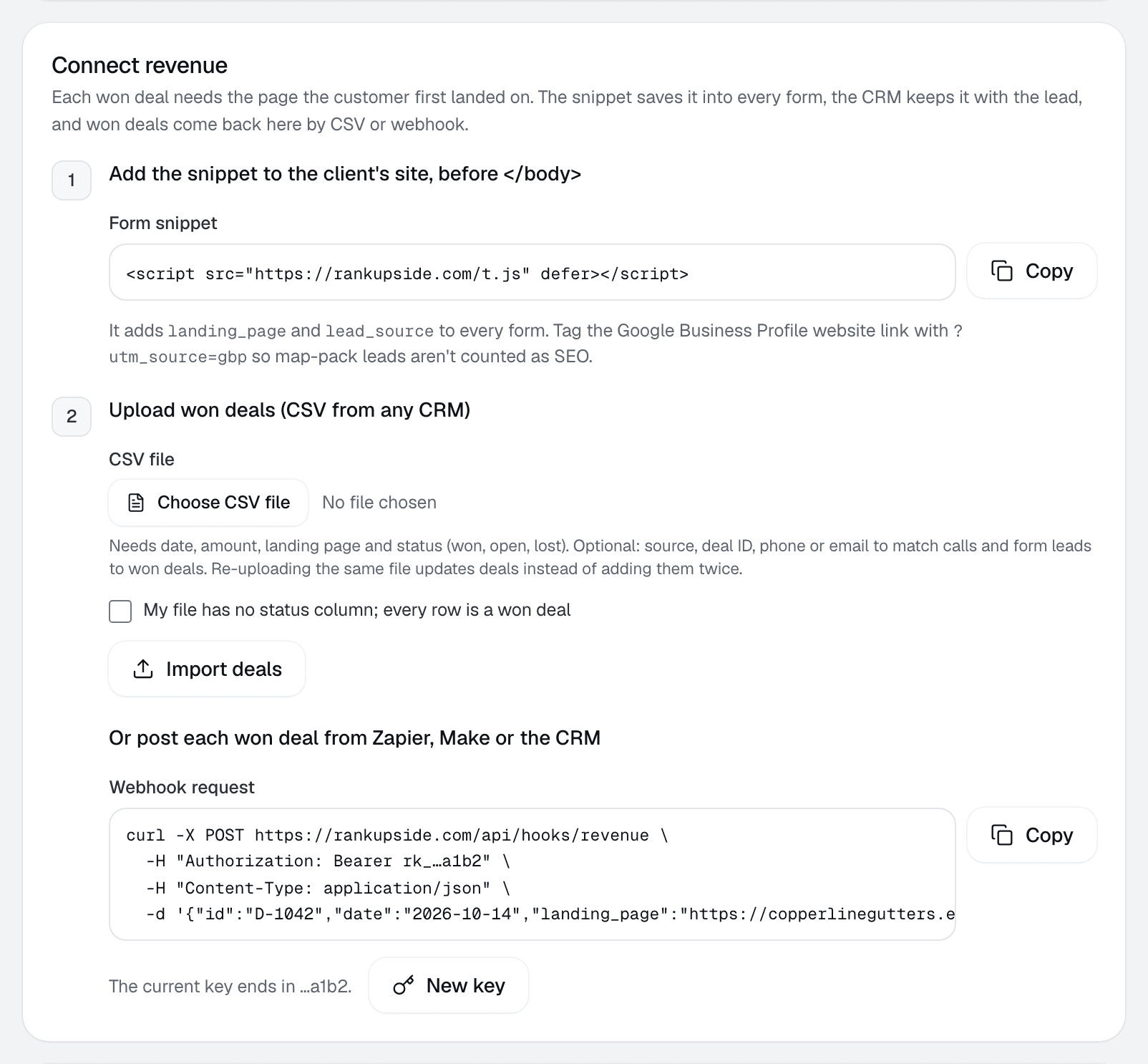
Upload a CSV from any CRM, post deals by webhook, or add the form snippet. The report then shows which searches brought paying customers, with searches Google hides kept on their own line.

  • Optional: the report is complete without it
  • Each deal joins to the page the customer landed on
  • Calls from CallRail, WhatConverts or Quo by webhook
The Connect revenue settings: a form snippet, a CSV upload for won deals and a webhook request.
Client settings › Leads & revenue

Hand the fix list to your AI agent.

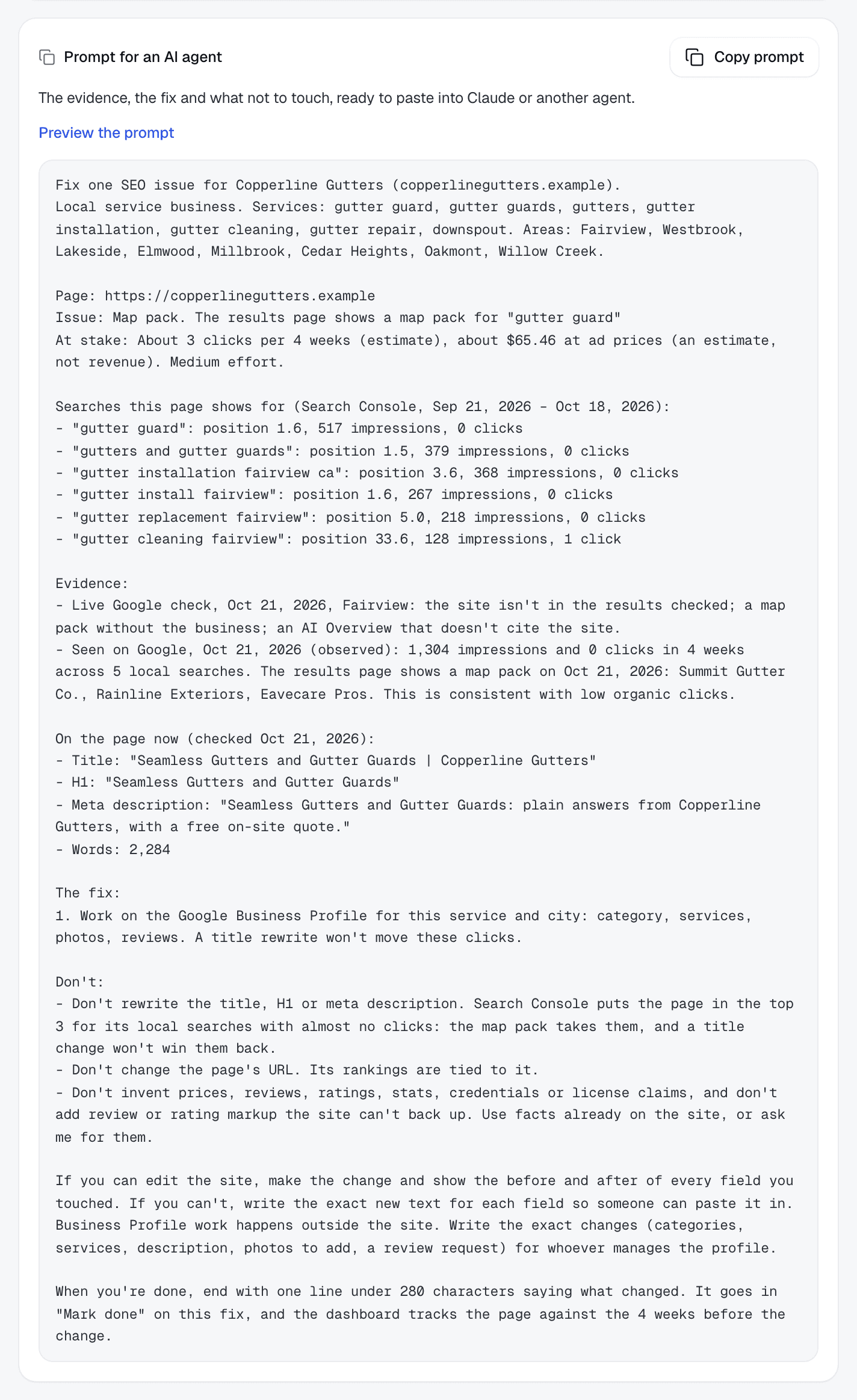
Give Claude Code a read-only key for one client and it pulls the latest synced fixes with their evidence. Or copy one fix, or the whole list, as a prompt.

  • One key per client, revocable any time
  • Each fix carries its searches, page checks and what not to change
  • Log the agent's change note to start tracking the result
The copy prompt for one fix includes the client, page, issue, searches, evidence, fix and what not to change.
Client page › Copy prompt

Setup questions.

When does the first report appear?
As soon as the first sync finishes. It reads 13 full weeks of Search Console history, so trends, wins and losses show from day one.
Do I need a CRM or a script on the client's site?
No. The report works from Search Console alone. Won deals (by CSV, webhook or the form snippet) and calls from CallRail, WhatConverts or Quo are optional and add a revenue line.
Does my client see RankUpside's name?
No. The report shows your agency's name, logo and color. Clients open a private link, with no login.
How often does it update?
Search Console syncs every Wednesday and the report rebuilds after it. Top searches get a live Google check on Thursdays, and search volume and cost per click refresh once a month.
What can RankUpside do in Google?
Only read. It asks for read-only Search Console access (webmasters.readonly) and can't change anything. You can revoke it at myaccount.google.com/permissions.
Can an AI agent apply the fixes?
Claude Code can pull a client's fix list and its evidence with a read-only key for that client, or you can copy any fix as a prompt. The agent edits the site; RankUpside never does.

Connect a client and see their first report.

The first report builds from 13 weeks of Search Console history as soon as you connect. Start with 3 client sites.

What your client sees each weekSample data
Oxbow & Vane

Weekly search report · Copperline Gutters

Sep 14 – Oct 11, 2026 vs the 4 weeks before

Copperline Gutters got 27 clicks from named buyer searches in the last 4 weeks, up 23% from the 4 weeks before. Google hides the search terms behind 84% of all 289 search clicks. Rankings rose across the site: pages that steadily show up are up about 2.4 positions.

Buyer clicks23%
27from 22
All search clicks14%
289from 253