Brand your client reports
Open Settings › Branding to set your agency name, logo, accent color and contact email. "Pull from your website" reads your homepage and fills the fields for you to check. Every client report then shows only your brand. Any color works: RankUpside adjusts its lightness only where text or chart marks would be hard to read.
What it doesn't do: Branding is one set per workspace. Per-client brands, a custom report domain and a branded email sender aren't available yet.
Updated
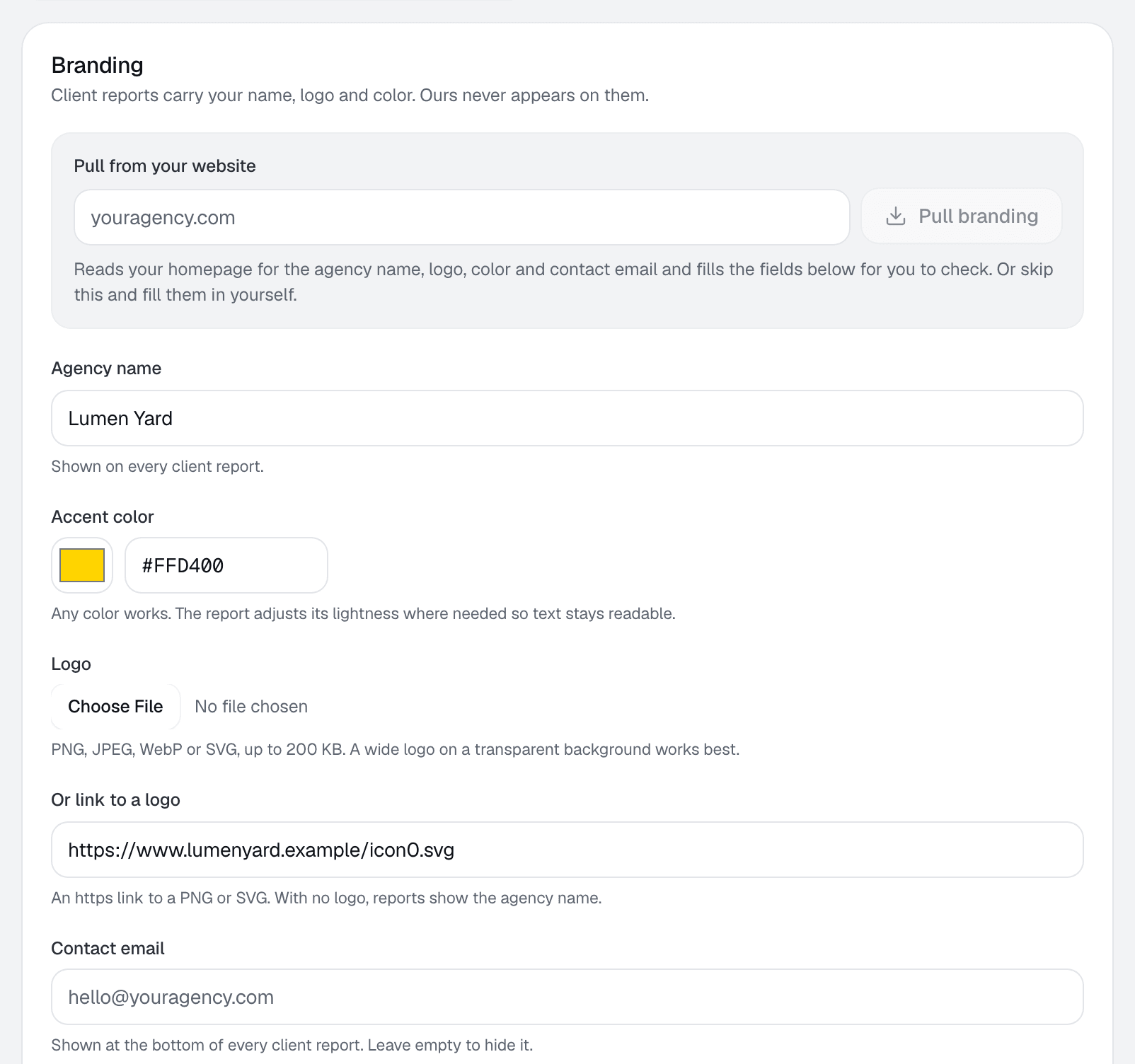
Pull from your website
In Settings › Branding, enter your agency's site under Pull from your website. It's prefilled with your sign-in email's domain unless that's a free mailbox such as Gmail. RankUpside reads your homepage over https and fills the fields below:
- Name: the site name tag, then Organization data, then the page title.
- Logo: the logo in your structured data, a logo image in the header, then app icons.
- Accent color: the theme color, then a CSS variable named primary, brand or accent, then the most used saturated color.
- Contact email, when the page shows one.
Nothing saves until you review the fields and click Save. If the site can't be read, the form says “Couldn't read that site. Fill in the fields below.”
The fields
| Field | What the app says | Notes |
|---|---|---|
| Agency name | “Shown on every client report.” | Also the fallback when there's no logo. |
| Accent color | “Any color works. The report adjusts its lightness where needed so text stays readable.” | A hex color such as #2F55E4, or pick one. |
| Logo | “PNG, JPEG, WebP or SVG, up to 200 KB. A wide logo on a transparent background works best.” | Or link to one: “An https link to a PNG or SVG. With no logo, reports show the agency name.” |
| Contact email | “Shown at the bottom of every client report. Leave empty to hide it.” |
How contrast is checked
The preview shows your color as text in light and dark mode, as chart marks, and with text on top of it. Text needs a 4.5:1 contrast ratio and chart marks 3:1. Wherever your color already passes, it's used as is. Elsewhere only its lightness changes, so the hue stays yours.
The PDF
Download PDF on a client report lays it out as a document with your color as a letterhead band on every page, with the client and the period. Logos embed in the PDF only when uploaded as PNG or JPEG; otherwise the band shows your agency name.
What clients never see
RankUpside's name and the names of its data suppliers never appear on a client report. Report links are private and aren't indexed by search engines. Branding is one set per workspace: per-client brands, a custom report domain and a branded email sender aren't available yet.
More: White-label reports and the white-label report definition. New to the app? Start with Getting started.
Something missing or out of date? Email hello@rankupside.com.
Questions.
Can each client have a different brand?
My brand color is yellow. Will the report be readable?
Why doesn't my SVG logo show in the PDF?
Related
- FeatureWhite-label reportsSend every client a weekly SEO report under your agency's name, logo and color, with live rank checks. Private link or PDF. Our name never appears.
- GlossaryWhite-label reportA white-label report shows only the agency's brand, never the software vendor's. What it includes, what full white-label adds, and what to check.
- TemplateSample reportA full SEO report example on sample Search Console data: what moved, why, the fixes in order and the searches that brought buyers. Switch the brand.
- DocsGetting startedSign in with Google, add client sites from Search Console, set services and areas, review the first fixes, brand the report and share the link.