Skip to content
Glossary

White-label report

A white-label report is a client report that carries only the agency's brand: its name, logo and colors. The software that built it stays invisible to the client. Fuller white-label setups add a custom report domain, a branded email sender and a client login, which not every tool offers.

What it doesn't do: White-label covers branding, not ownership of the data. The client's Search Console data still belongs to the client.

Updated

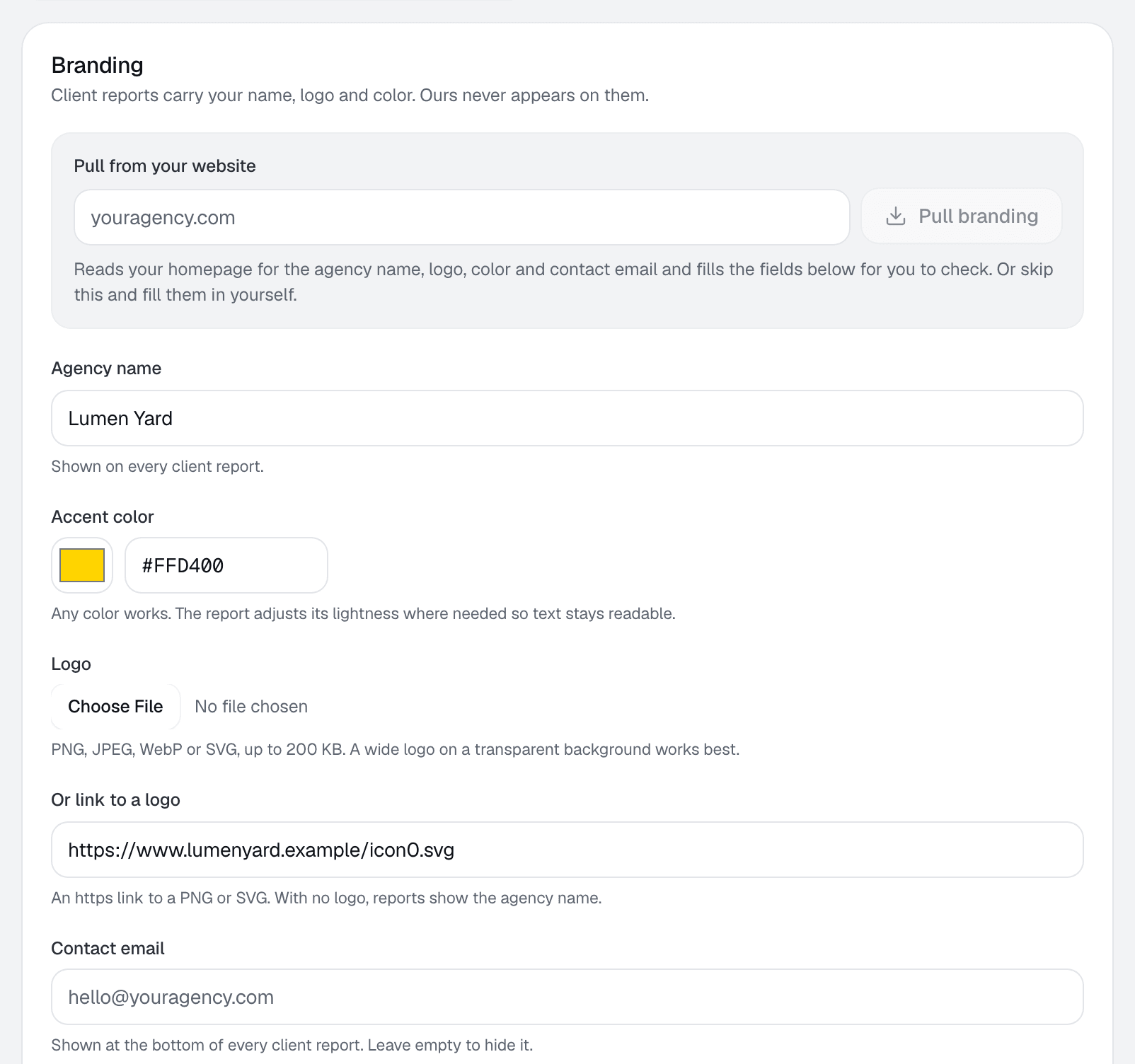
Branding settings: agency name, accent color and logo, with a live preview of the report masthead and contrast checks.
Settings › Branding · Sample data

What a white-label report includes

White-label checklist, and what RankUpside has today
ItemRankUpside
Agency logoYes
Agency colorYes, one accent, contrast-checked
Agency name and contact detailsYes
No vendor name, no data supplier namesYes
Private linkYes, replaceable, not indexed
PDFYes, with the agency's letterhead
Custom report domainNot yet
Branded email senderNot yet
Client loginNot yet
A different brand per clientNot yet: one brand per workspace

How it shows up in RankUpside

The agency sets its name, logo and one accent color once, in Settings › Branding. "Pull from your website" fills them in for review. The color is checked for contrast and its lightness adjusted only where text or chart marks would be hard to read, in light and dark mode.

Each client gets a report at a private link, with Download PDF and the agency's contact strip. Creating a new link turns the old one off. The report never shows the software's name or the data suppliers.

Sample data: the sample report switches between three fictional agencies, Oxbow & Vane, Quillmark Search and Lumen Yard, on the same fictional client.

Common mistakes

  • Choosing a brand color that fails contrast on white.
  • Sharing a link on the vendor's domain when the client cares about that. Check the domain before you send it.
  • Forgetting the PDF: some clients forward the file, not the link.

Related term: Ad-equivalent value

Ad-equivalent value is the first dollar figure a white-label report can show before any CRM is connected.

Ad-equivalent valueA client's organic clicks priced at Google Ads cost per click.

See a sample report

White-label report: questions.

Does the client see RankUpside's name anywhere?
No. The report shows the agency's name, logo and color. Data suppliers aren't named either. The link itself is on RankUpside's domain; a custom report domain isn't available yet.
What happens if my brand color is too light?
RankUpside checks it for contrast in light and dark mode and adjusts its lightness only where text or chart marks would be hard to read. Where the color already passes, it's used as is.

Connect a client and see their first report.

The first report builds from 13 weeks of Search Console history as soon as you connect. Start with 3 client sites.

What your client sees each weekSample data
Oxbow & Vane

Weekly search report · Copperline Gutters

Sep 14 – Oct 11, 2026 vs the 4 weeks before

Copperline Gutters got 27 clicks from named buyer searches in the last 4 weeks, up 23% from the 4 weeks before. Google hides the search terms behind 84% of all 289 search clicks. Rankings rose across the site: pages that steadily show up are up about 2.4 positions.

Buyer clicks23%
27from 22
All search clicks14%
289from 253