Getting started
Sign in with Google and allow read-only Search Console access. Add the client sites you manage from the list of properties your Google account can read. Each first sync pulls 13 weeks of history and builds a fix list and a client report. Add your logo and color, then share the report link.
What it doesn't do: Won deals and call tracking are optional and can come later. The first report works without them.
Updated
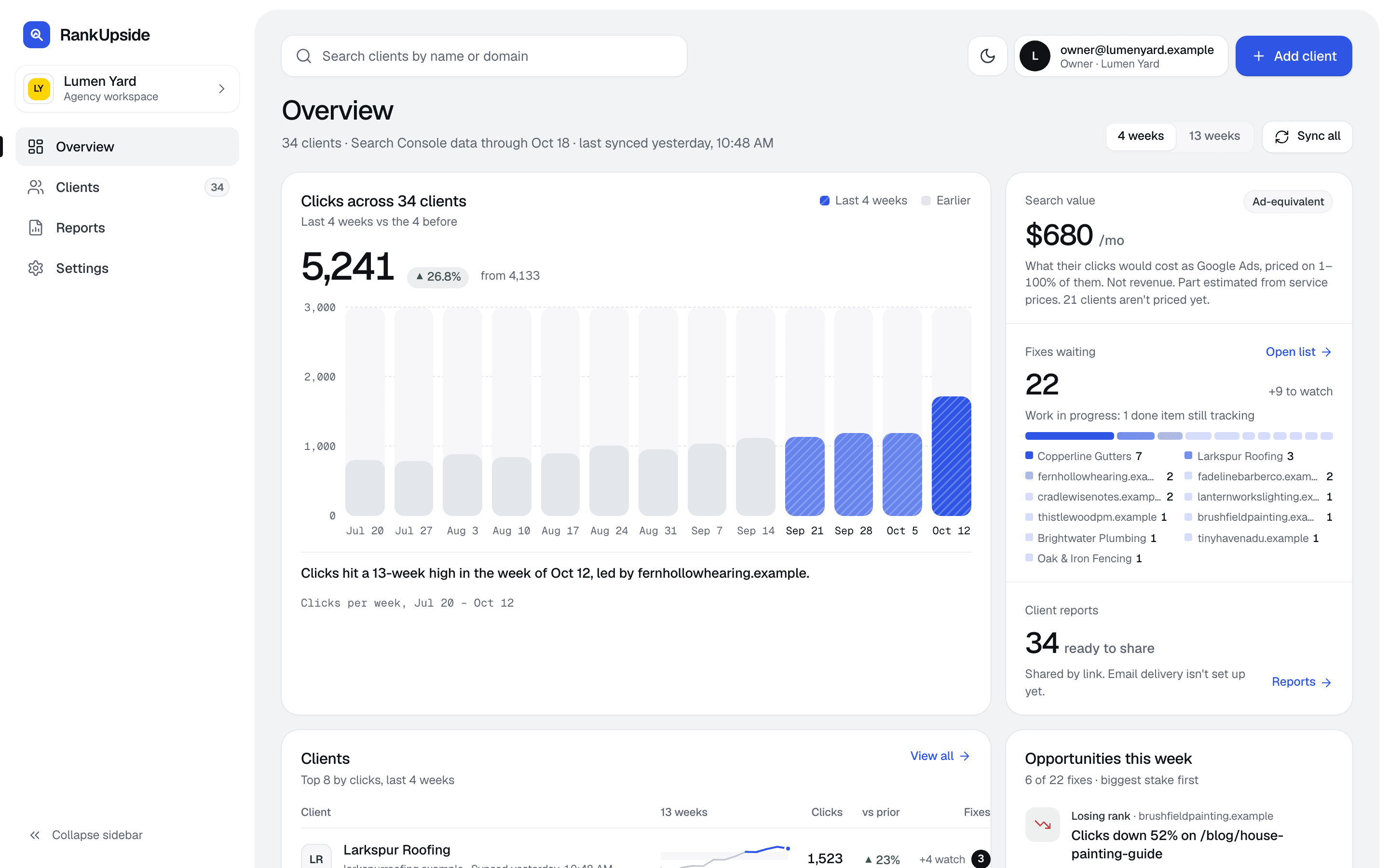
1. Sign in with Google
Click Start free trial and pick the Google account that has your clients' Search Console access. Google's consent screen asks for your basic profile, your email and one more permission: View Search Console data for your verified sites. That access is read-only. RankUpside can't change anything in Google.
Leave the Search Console box ticked. If it was unticked, the sign-in page says so and asks you to sign in again; see Connect Search Console. No card is needed.
2. Add clients
Open Clients › Add clients. The list shows every property your connected Google accounts can read. New ones start checked; ones you already added are greyed out. Uncheck any you don't report on, then add them.
- One Search Console property is one client site. The plan's site limit applies: the trial covers 3 sites.
- Each first sync pulls the last 13 full weeks, so the first report already compares the last 4 weeks with the 4 before.
- Older weeks fill in after that, up to about 16 months of weekly history per client.
3. Tell it about the client
Open the client, then Settings › General. Fill in the client name, its services, the cities and areas it serves, its brand names, and the live results location and search volume country. Star the terms you want to grow (“Grow these”); their fixes rank higher.
RankUpside detects the site type (local service, local storefront, online store, software or content) and uses it to decide which checks run. Map pack and city-in-title checks, for example, only run for local businesses. You can change the type in the same tab. Clients missing services or areas show a Needs setup mark in the client list.
4. Review the fixes
The client opens on Opportunities: one card per page, ranked by estimated value, your “grow these” priorities, confidence and effort. Open a card for the evidence, the searches behind it, the fix and what not to touch. Each card has Start, Mark done (with a note on what changed), Dismiss and Reopen. Done fixes are tracked for 8 weeks.
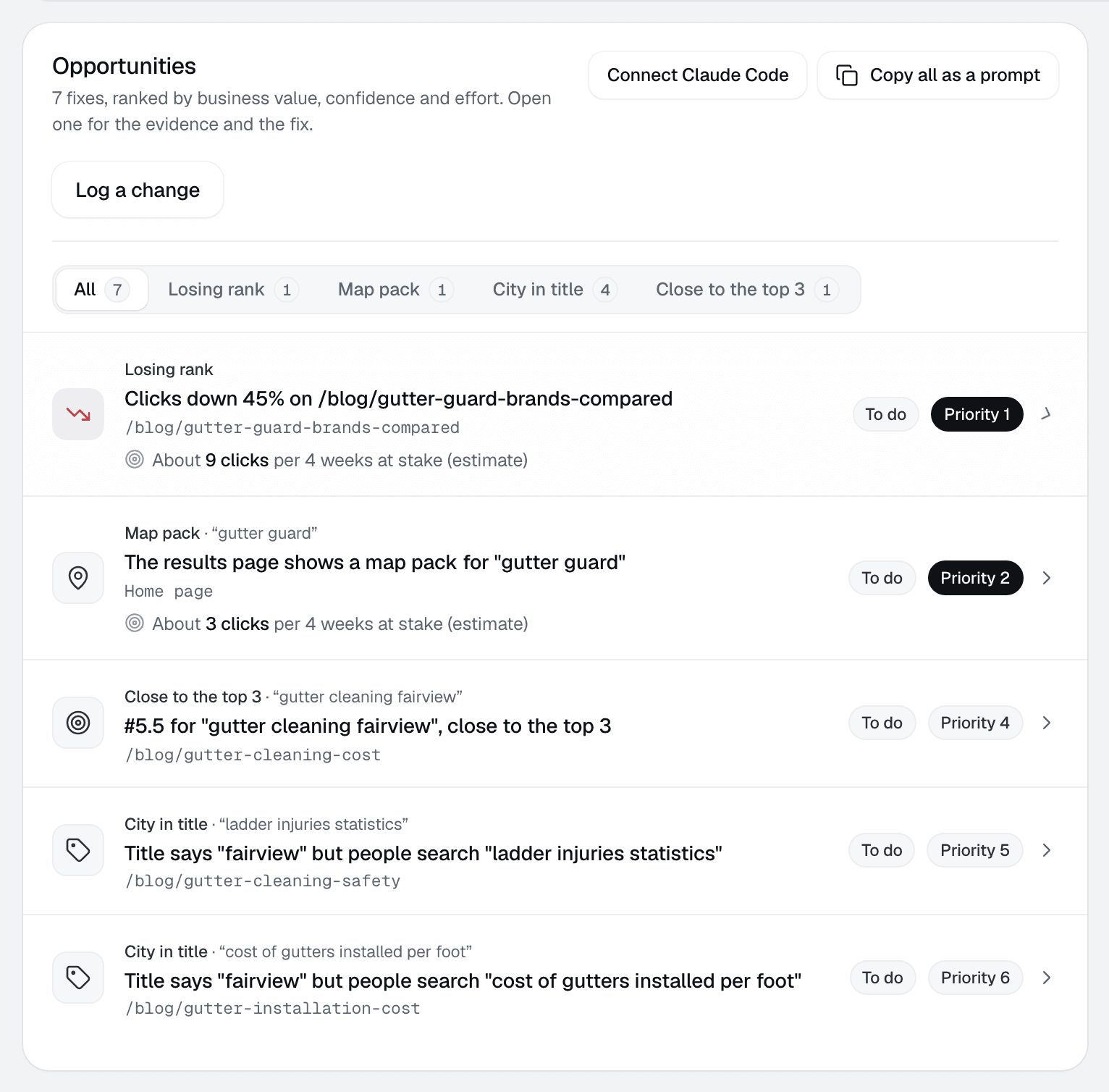
More on how the list is ranked: Ranked fixes and the methodology.
Optional next steps
- Send won deals so the report shows which searches brought paying customers: by CSV, webhook or the form snippet.
- Let Claude Code pull a client's fix list with a read-only key: Connect an AI agent.
The welcome guide
The welcome guide in the app ticks off these steps as you complete them. You can put it away or hide it, and reopen it from the account menu. Its sample walkthrough runs on a fictional client alongside your own and doesn't touch client data.
Something missing or out of date? Email hello@rankupside.com.
Questions.
How long until the first report is ready?
How many clients can I add on the trial?
Do I need to connect a CRM?
When does the data update?
Related
- DocsConnect Search ConsoleConnect Search Console with read-only access, add more Google accounts, find missing properties, and fix the "Search Console access wasn't granted" error.
- DocsBrandingSet your agency name, logo, accent color and contact email for every client report, pull them from your website, and see how contrast is checked.
- FeatureRanked fixesOne fix list per client, ranked by what's at stake, with the page, the searches and what not to touch. Mark it done and the report tracks the result.
- TemplateSample reportA full SEO report example on sample Search Console data: what moved, why, the fixes in order and the searches that brought buyers. Switch the brand.